YouTube Tag Generator

Our free YouTube tag generator (also called a YouTube SEO tag generator) helps you create optimized tags for every video in seconds. Whether you're searching for a quick SEO tag generator, need YouTube tags for a new upload, or want to see what SEO tags YouTube recommends for your niche, this tool builds a ready to use tag list instantly — no login required.

AI powered youtube tags generator. 100% free . No Login !

What Is a YouTube Tag Generator?

A YouTube tag generator is a free SEO tool that creates relevant keywords often called SEO tags for YouTube based on your video's title, topic, or description. These tags help YouTube's algorithm understand what your video is about, making it easier to rank in search and suggested videos. Some creators also search for this as a "seo tag generator" or "yt seo tags" tool, since tags are one of the core building blocks of YouTube SEO.

Unlike your video title or thumbnail, tags are invisible to viewers. You won't see them anywhere on the video page itself. Instead, they sit in the background of YouTube Studio and feed directly into YouTube's indexing and recommendation systems. Because writing 10-15 accurate tags by hand for every upload is repetitive and time consuming, creators use a tag generator to instantly produce a relevant set based on the video's topic, saving time while staying consistent with SEO best practices.

Toolbil's YouTube tag generator takes your video title, description, category, main keywords, and target audience, and generates a mix of broad tags, long tail tags, and branded tags the same structure recommended by YouTube's own creator guidelines instantly and for free, with no login required.

How Does a YouTube Tag Generator Work?

When you enter a video title or topic, our SEO tag generator scans for relevant, high-search keywords and outputs a list of optimized tags — the same kind of seo tags youtube's own search and recommendation system looks for. Instead of manually guessing tags, you get a data-informed list in one click.

Behind the scenes, a YouTube tag generator analyzes the information you provide and breaks it down into three categories of tags:

  • Primary/exact-match tags: Pulled directly from your video title and main keywords these tell YouTube exactly what your video is about (e.g., "pasta recipe" for a cooking video titled "Easy Pasta Recipe").
  • Long-tail tags: Multi-word variations and related phrases that capture more specific searches (e.g., "easy pasta recipe for beginners", "quick italian pasta dinner").
  • Category and broad tags: General terms tied to your video's category (e.g., "cooking", "recipes", "food") that help YouTube place your video in the right content cluster alongside similar videos.

The tool then filters out irrelevant or overly generic terms, removes duplicates, and orders the list with your most important keywords first since YouTube is known to weigh the earlier tags in the list slightly more heavily during indexing. The final output is a ready-to-copy tag list you can paste directly into YouTube Studio's "Tags" field.
How to Use YOUTUBE TAG GENERATOR

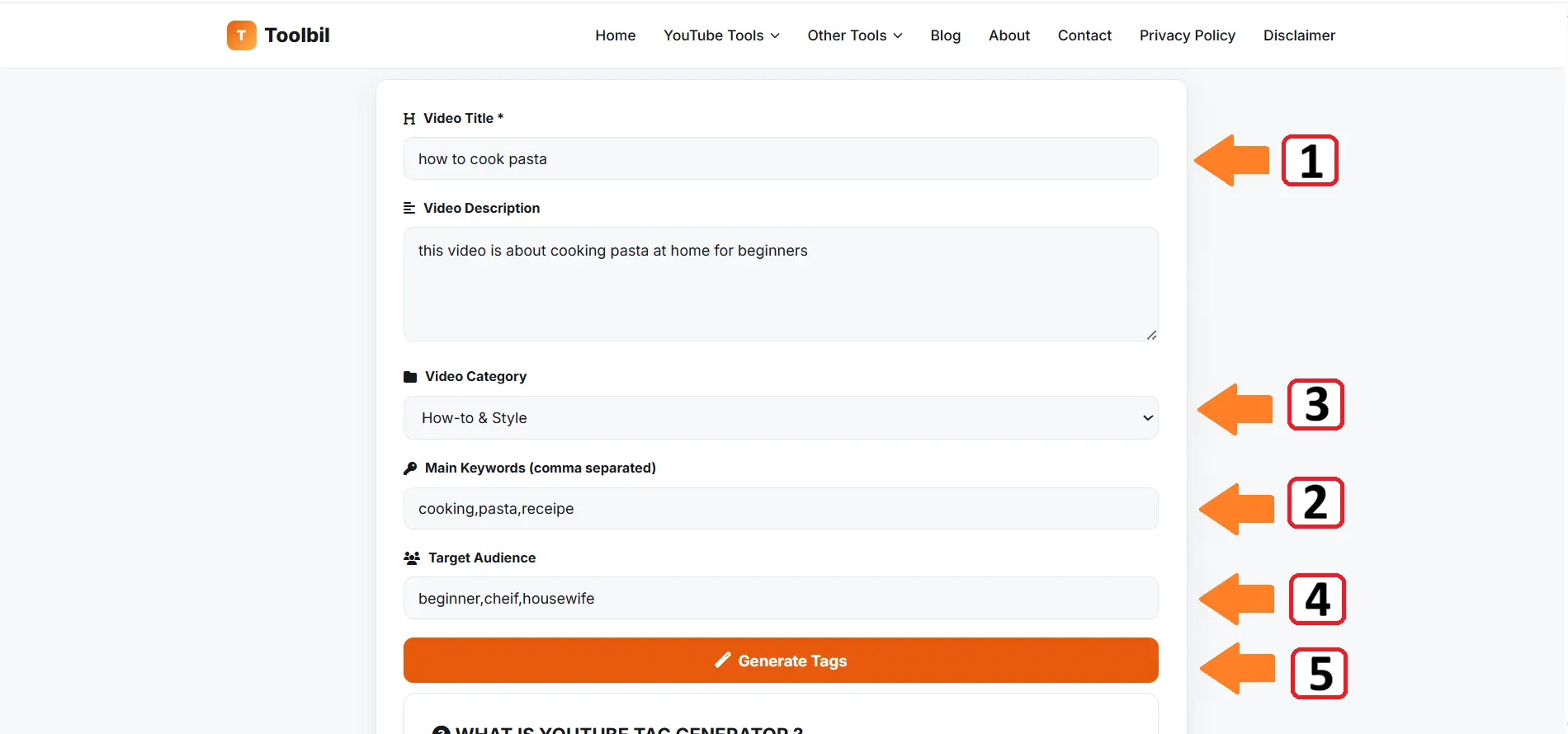
  1. Enter Video Information: Fill in your video title (required) and other details enter video information in YouTube Tag Generator
  2. Add Keywords: Provide main keywords related to your video content
  3. Select Category: Choose the most relevant category for your video
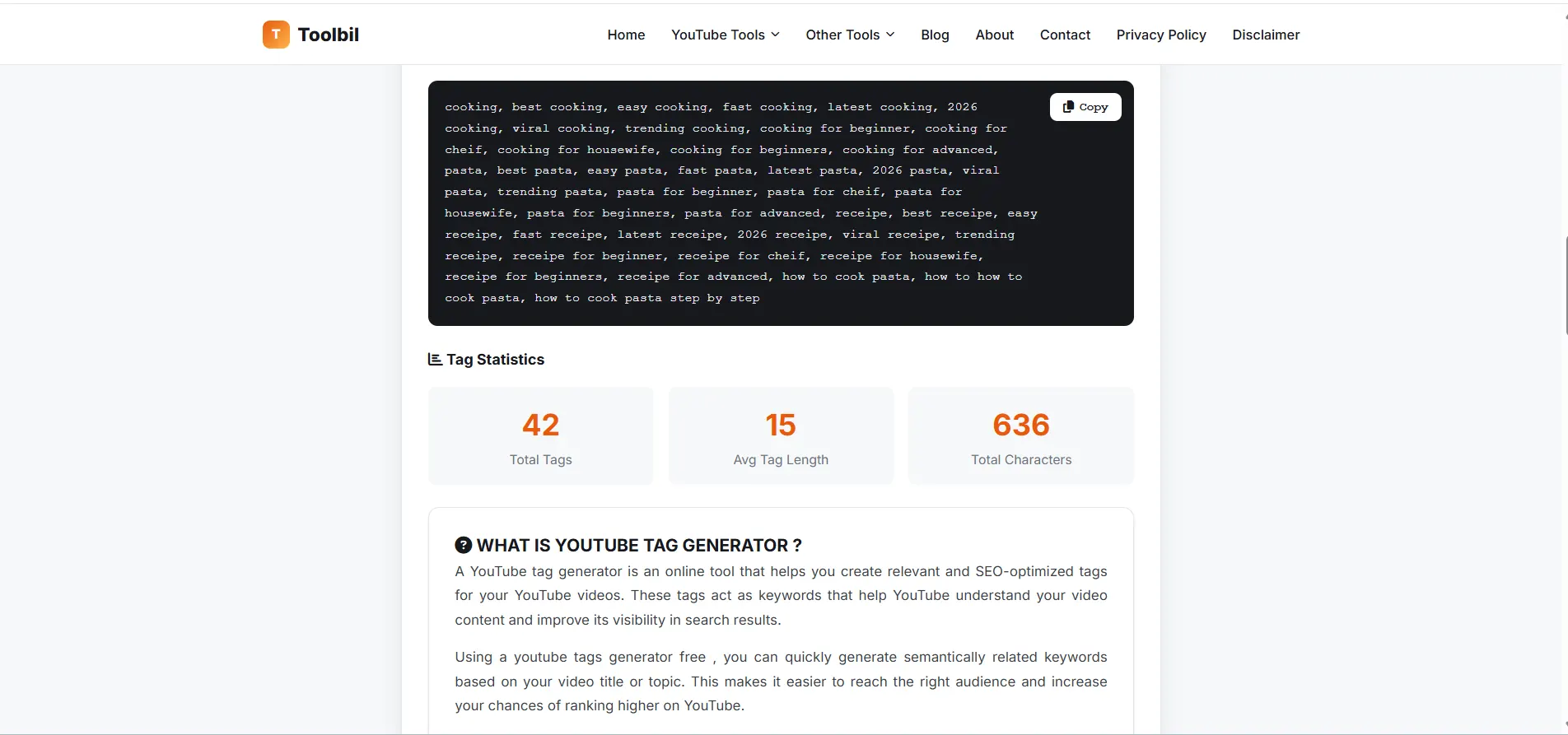
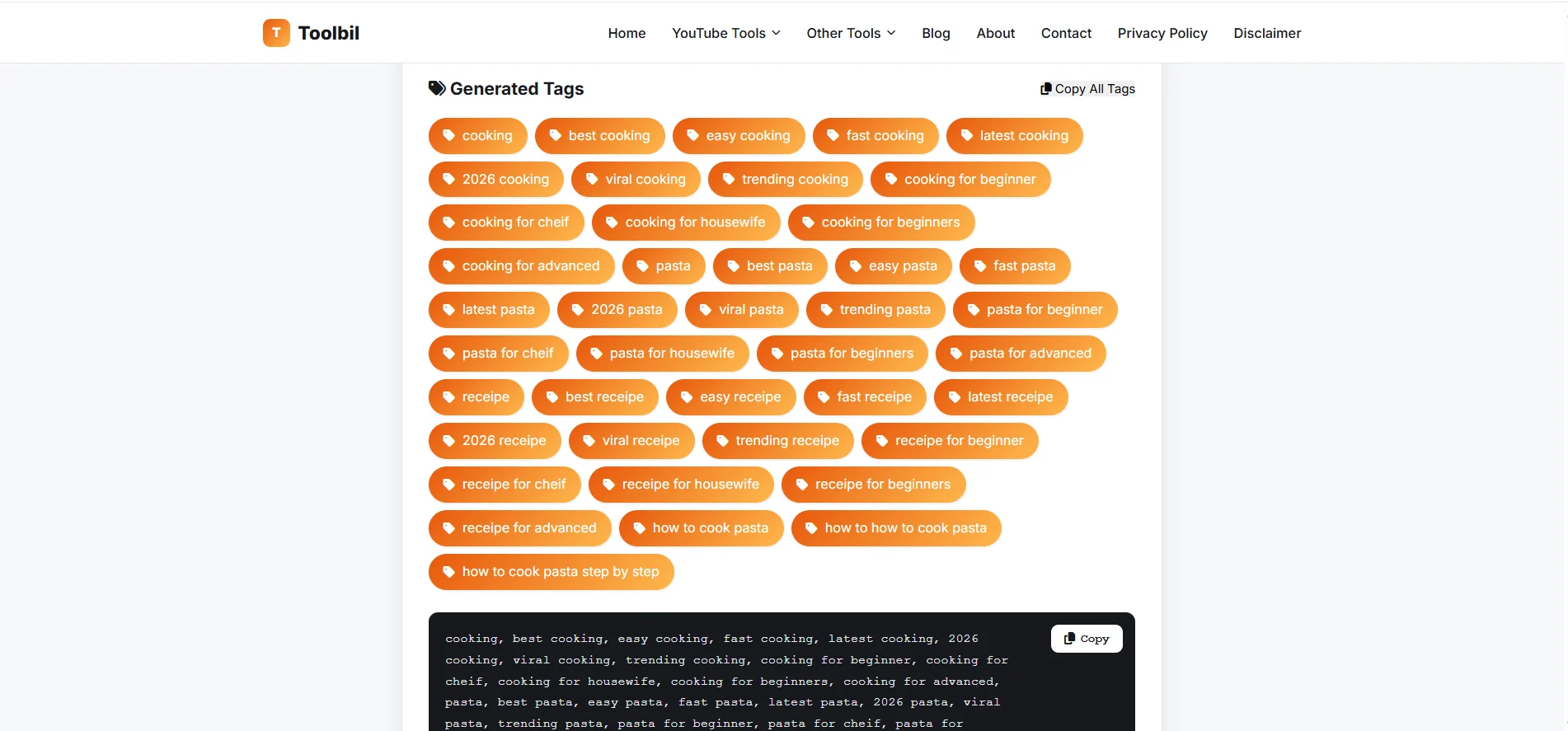
  4. Generate Tags: Click "Generate Tags" to create optimized meta tags Generated Tags for given video information tag statastics
  5. Copy & Use: Copy the generated tags and paste them into your YouTube video settings

How to Rank Your YouTube Video With Tags

Tags alone won't make a video go viral, but used correctly, they play a real role in how YouTube indexes and surfaces your content. Here's how tags fit into the bigger ranking picture, and how to use them to actually improve your reach:

  • Match search intent first: Your #1 tag should reflect exactly what someone would type into YouTube search to find your video not a vague or overly broad term.
  • Layer specificity: Start with 2-3 exact-match tags, follow with 4-6 long-tail variations, then finish with 2-3 broad category tags. This layered structure helps YouTube understand both what your video is precisely about and what wider content cluster it belongs to.
  • Use tags consistent with your title and description: YouTube cross-checks tags against your title, description, and even spoken/captioned content. Tags that don't match what's actually in the video can hurt trust signals rather than help them.
  • Include your channel/brand name as a tag: This helps YouTube associate the video with your channel and can improve how often your other videos get suggested alongside it.
  • Don't tag-stuff: Cramming in 30+ unrelated tags doesn't "cover more searches" it dilutes relevance signals and can look like manipulation to YouTube's systems. Stick to 5-15 tags that are all genuinely relevant.
  • Remember tags are one signal among many: Title, thumbnail, watch time, click-through rate, and audience retention carry significantly more ranking weight than tags. Treat tags as a supporting layer of SEO, not a replacement for strong titles, thumbnails, and content quality.

Why Tags Still Matter for YouTube SEO

Even with YouTube's algorithm evolving, tags remain a useful signal. Adding the right seo tags for youtube videos helps categorize your content correctly, especially for topics that could be interpreted multiple ways. A dedicated seo tag generator saves time versus manually researching each tag by hand.

  • Misspelling & alternate-term coverage: Tags help YouTube match your video to searches that use slightly different wording or common misspellings of your main keyword.
  • Content classification: Tags assist YouTube's system in correctly categorizing niche or ambiguous content (e.g., distinguishing a video about "python" the programming language from "python" the snake).
  • Suggested videos placement: Shared tags between videos can influence which videos get shown in the "Up Next" sidebar.
  • New/small channel discovery: For channels without much watch-history data yet, tags give YouTube extra context to work with when deciding where to surface a new video.

YouTube Tag SEO Best Practices We Follow

Toolbil's tag generator is built around YouTube's own creator guidelines and observed ranking behavior:

  • Places your most important, exact-match keyword first in the tag list
  • Balances broad category tags with specific long-tail phrases
  • Avoids duplicate, overly generic, or irrelevant tags that dilute relevance
  • Keeps total tag count within YouTube's recommended 5-15 range
  • Generates spelling variations and synonyms so near-match searches are still covered
  • Adds category-specific terms so YouTube can classify your content accurately

YT Tags Generator Also Known As

Whether you search for it as a YT tags generator, YouTube tag generator, YouTube tags maker, YouTube keyword generator, YouTube tag extractor, or a YouTube video tags generator Toolbil's free tool covers every version of the search. Creators also refer to this tool as a YT tag generator free, yt tags maker online, youtube meta tags generator, and a youtube video SEO tag tool.

No matter which term you use tags, keywords, meta tags, or hashtags for YouTube this tool generates the same SEO-optimized output: a ready-to-paste list of relevant YouTube tags for your video.

Popular Ways Creators Search for This Tool

Toolbil's YouTube tag generator is built to match every common search variation creators use, including:

  • yt tags generator
  • yt tag generator free
  • youtube tags generator free
  • youtube tag generator online
  • youtube tags generator from title
  • youtube tags generator without login
  • youtube keyword tag generator
  • youtube video tags generator
  • best youtube tags generator
  • free youtube tags tool
  • youtube tag extractor tool
  • youtube seo tags generator
  • youtube tags generator for shorts
  • ai youtube tags generator
  • youtube video keyword generator
  • generate tags for youtube video
  • youtube meta tags generator
  • tags for youtube videos free
  • youtube tag generator by title
  • tubebuddy tags generator alternative

Why Use Our Youtube Tag Generator ?

Smart Generation

AI-powered tag suggestions based on your content and category

SEO Optimized

Tags generated following YouTube's best practices for maximum visibility

Easy Export

Copy all tags with one click and paste directly into YouTube