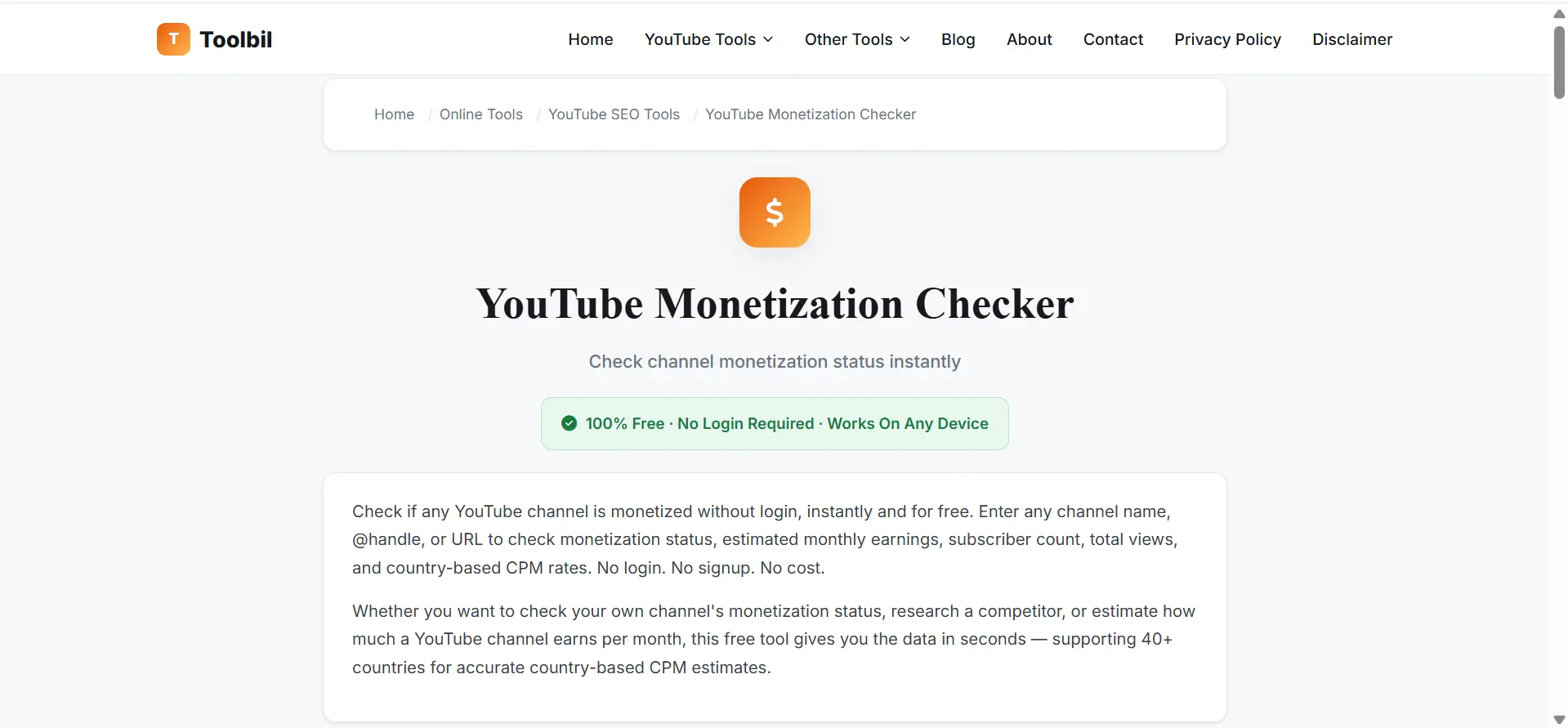
Check if any YouTube channel is monetized online without login instantly with YT monetization checker for free. Enter any channel name, @handle, or URL to check monetization status, estimated monthly earnings, subscriber count, total views, and country based CPM rates. No login. No signup. No cost.
Whether you want to check your own channel's monetization status, research a competitor, or estimate how much a YouTube channel earns per month, this free YouTube monetization checker gives you the data in seconds. Supports all 40+ countries including the United States, India,United Kingdom, Australia, and Canada for accurate country based CPM estimates.
A YouTube monetization checker is a free online tool that verify whether a YouTube channel is eligible for monetization and provides estimated monthly earnings based on views, subscribers, and country specific CPM rates.
Unlike YouTube Studio, which only shows your own channel's data, this tool lets you check any public YouTube channel's monetization status without logging in. YT Creators use it to research competitors, benchmark earnings, and verify if a channel is in the YouTube Partner Program (YPP) before collaborating or sponsoring.
Our yt monetization checker supports 40+ countries, giving you country specific CPM estimates for the United States, India, Australia, UK, Canada, Pakistan, and more.
YouTube does not publicly show whether a channel is monetized. There's no badge, no verified icon, and no public dashboard that says "this creator earns ad revenue." Monetization status is treated as private account data visible only to the channel owner inside YouTube Studio.
This creates a real problem for creators researching competitors, brands vetting a channel before a sponsorship deal, and agencies doing due diligence before signing a creator. A YouTube monetization checker exists to solve exactly this gap turning scattered public signals into a clear, instant answer, without needing access to anyone's YouTube Studio account.
Since YouTube doesn't expose monetization status through any official public API field, monetization checkers rely on analyzing publicly available page signals instead. Specifically, YouTube channel and video pages contain a data marker in their source code commonly referred to as the "yt_ad" string that indicates whether ad monetization is actively enabled for that content.
Toolbil's youtube channel monetization checker automatically scans this and other public signals including channel activity, subscriber count, upload consistency, and content indicators then combines them into one clear result: monetization status, estimated monthly earnings, RPM, total views, and country-based CPM estimates, all generated in seconds.
Good to know: Since June 2022, YouTube allows ads to appear on videos from channels that are not in the YouTube Partner Program (YPP). This means ad presence alone doesn't confirm monetization which is exactly why a proper checker cross-references multiple signals instead of relying on ads visibility alone.
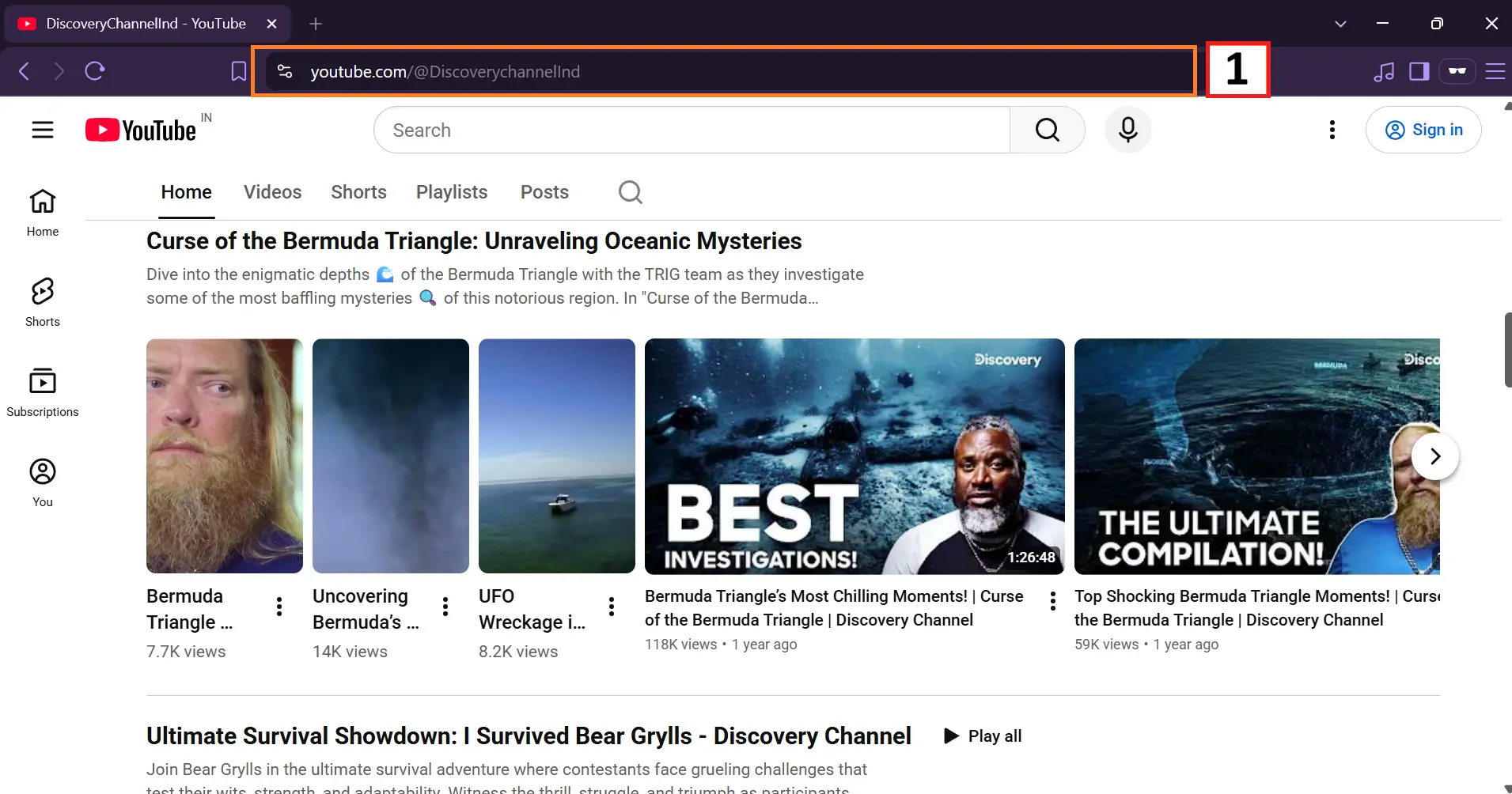
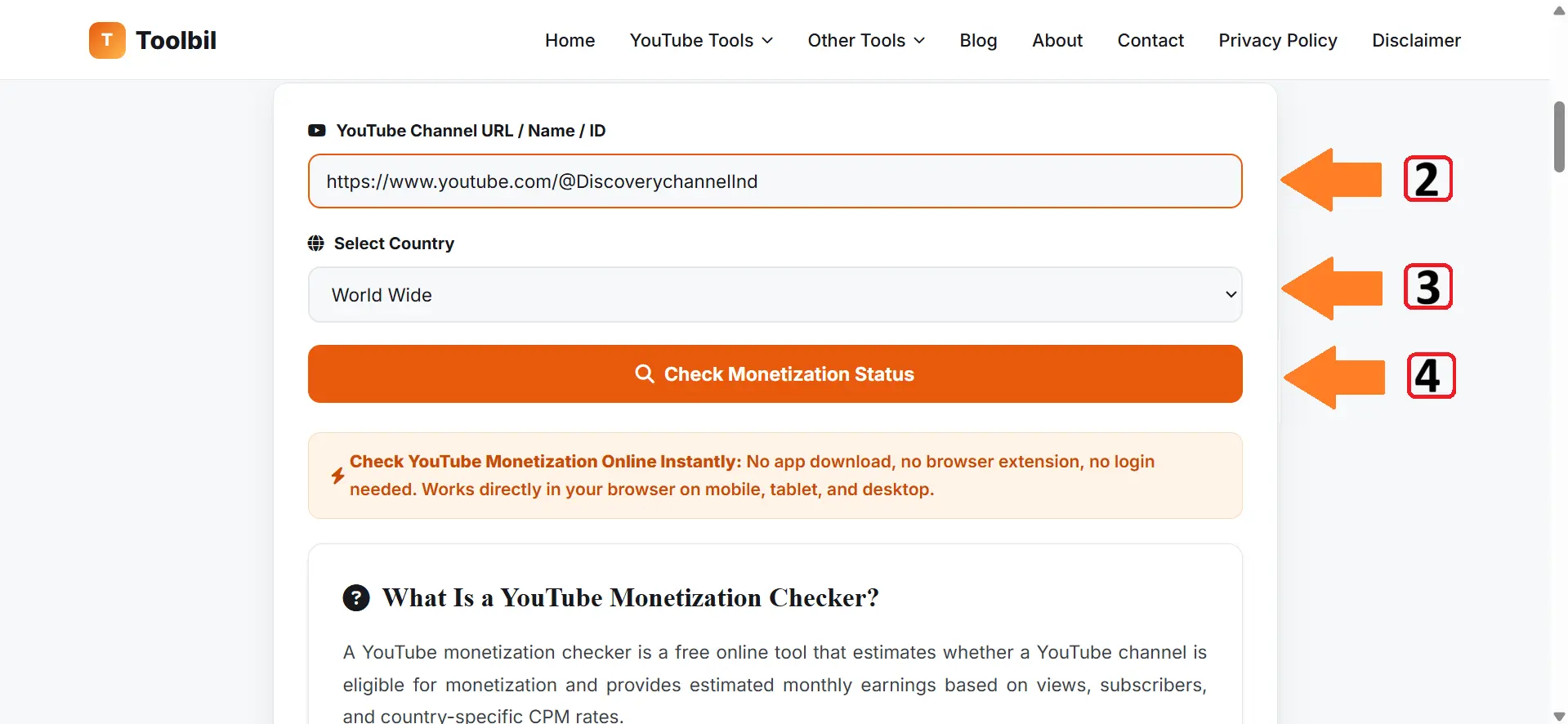
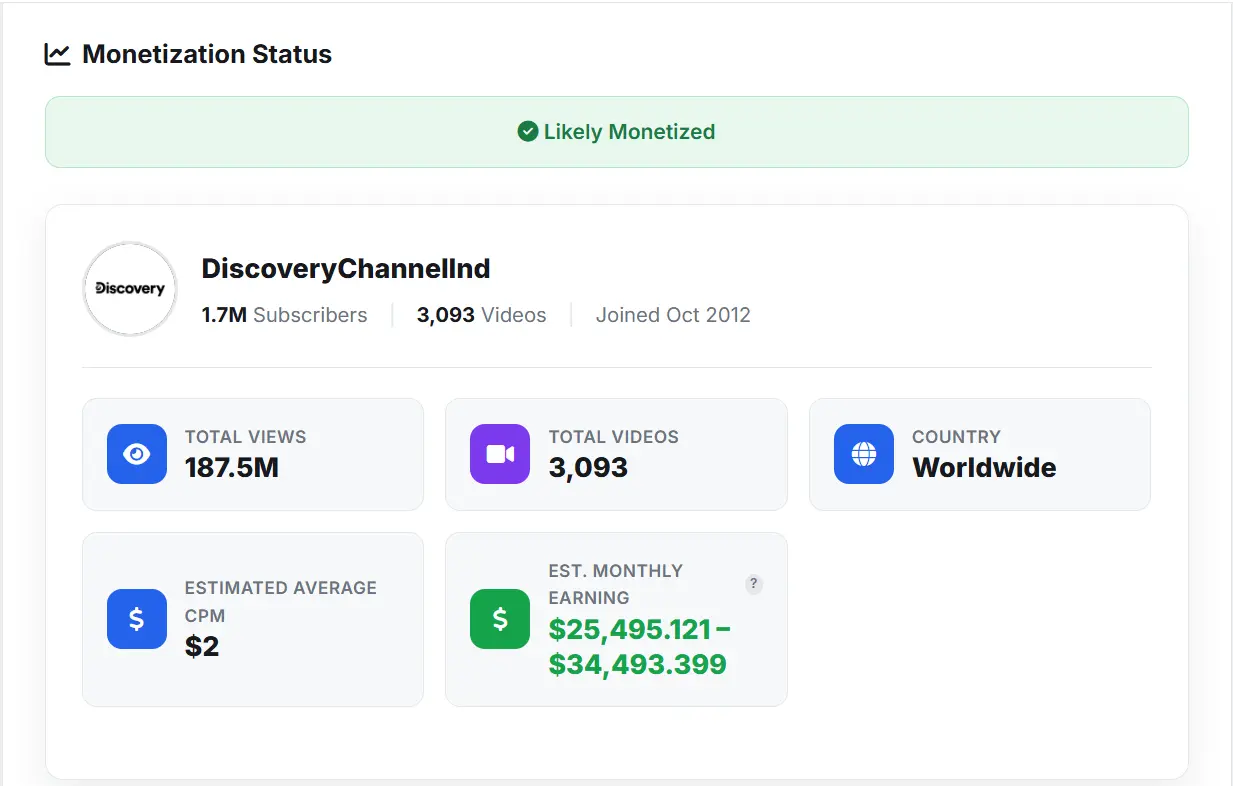
You don't need a laptop or the YouTube Studio app to check if a channel is monetized Toolbil's monetization checker works fully on mobile, right inside your phone's browser.
Tip: Our tool is fully responsive, so the layout, buttons, and results automatically adjust for small screens you get the same accurate monetization check on mobile as you would on desktop.
Before you start calculating earnings from ads, memberships, or Shorts, it's important to understand the latest YouTube Partner Program rules. YouTube updated several monetization policies in 2026, including subscriber thresholds, Shorts requirements, reused-content checks, and stricter review systems. Read our detailed guide on YouTube Monetization Requirements 2026 to avoid common mistakes that delay approval.
YouTube Partner Program (YPP) 2026 requirements for a channel to monetize:
YouTube earnings vary significantly by niche and audience location. Below are current average CPM rates per niche and expected RPM (Revenue Per Mille).
| Content Niche | Avg. CPM Range | Est. RPM / 1K Views | Profitability |
|---|---|---|---|
| Finance & Investing | $15.00 – $45.00 | $8.00 – $25.00 | High ★★★★★ |
| Technology & AI | $8.00 – $25.00 | $4.50 – $14.00 | High ★★★★☆ |
| Lifestyle & Vlogs | $1.50 – $7.00 | $0.80 – $4.00 | Medium ★★☆☆☆ |
| Gaming & Entertainment | $1.00 – $6.00 | $0.50 – $3.50 | Low ★★☆☆☆ |
*Estimates based on Tier-1 traffic (US/UK/Canada). RPM is the amount a creator earns after YouTube's ad revenue share.
Many creators assume millions of Shorts views automatically count toward the 4,000-hour watch time requirement they do not. Shorts have their own monetization path: 10 million valid public Shorts views in 90 days for full ad revenue. Read our guide on Does YouTube Shorts Watch Time Count Toward Monetization?
Go to YouTube Studio and click Earn or Monetization in the left menu. Alternatively, enter your channel URL into Toolbil's free monetization checker for an instant external estimate of your eligibility and estimated earnings.
Open your mobile browser and go to Toolbil's YouTube Monetization Checker at toolbil.com. Enter the channel name, URL, or @handle. The tool works fully on mobile without any app download or login.
1,000 subscribers, 4,000 valid public watch hours in the last 12 months (or 10 million Shorts views in 90 days), a linked AdSense account, 2-step verification, zero active community strikes, and compliance with YouTube's content policies.
Yes. 100% free no login, signup, or payment required. Every feature, including country based CPM estimates and monthly earnings calculations, is free for all users.
Yes,estimated monthly earnings based on total views and country specific CPM benchmarks. Figures are estimates; actual earnings vary based on niche, retention, ad format, and engagement.
It helps identify issues that could lead to YPP rejection reused content flags, low engagement ratios, or metadata problems — before YouTube's reviewers see them, improving approval chances.
Yes. Check the estimated monetization status of any public channel not just your own. Enter a competitor's or collaboration partner's channel to see their estimated eligibility and earnings.
Yes. Shorts have their own monetization path 10 million Shorts views in 90 days vs. 4,000 watch hours for long-form. Enter any Shorts channel URL or handle to check its estimated status.
Yes. It runs entirely in your browser on desktop, tablet, or mobile no app, extension, or login required.
Estimates are based on industry-standard CPM benchmarks and public view/subscriber data — directional research figures, not exact or guaranteed income.
No. Channel URLs and searches you enter are not stored all processing happens in real time only.
Check if any channel is likely eligible for monetization based on subscribers, views, and activity no login required.
Get an estimated monthly income based on views, country specific CPM, and YouTube's ad revenue split.
Analyze estimated earnings by country US, India, Australia, UK, Canada, and 35+ more.